Voice-tracking teleprompter
Read your script.
Stay on camera.
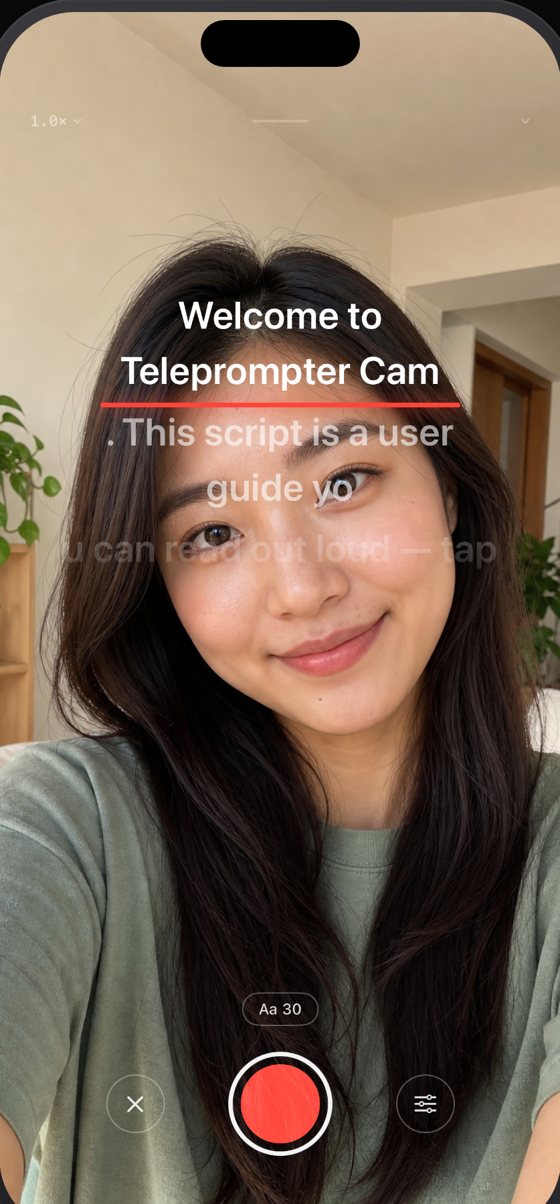
The script follows your voice — speak naturally, and the prompter scrolls to wherever you are. And it floats over any app you shoot with.
- Forgives misreads, skips and improvised lines
- Floats over the Camera app or any recording app, still following you
- The prompter is never in your footage
iPhone · iOS 17 or later · 3 free full-feature sessions
Three steps
From a script to a finished take
- 01
Bring your script in
Paste it, type it, or copy it over from Notes. Writing and managing scripts is free forever, with no limit on how many you keep.
- 02
Just talk to the camera
Hit record and the prompter listens, scrolling as you speak. Misreads, skipped words and off-script moments are all fine.
- 03
Done recording, done editing
The prompter never enters the frame. Preview right after the take, save it to your library, or reshoot in one tap.
Five features
One app, five ways to use it
Voice-tracking teleprompter
The script goes where you go
The prompter listens and scrolls on its own. Misread a word, drop a line, improvise for a while and come back — it keeps up. Restart a sentence and it rewinds to the top of it with you.
- The script scrolls as you speak, at your pace
- Forgives misreads, skips and improvised lines
- Constant-speed and manual modes included
- 3-line or 5-line display, backdrop on/off, adjustable position and font size
Floating prompter
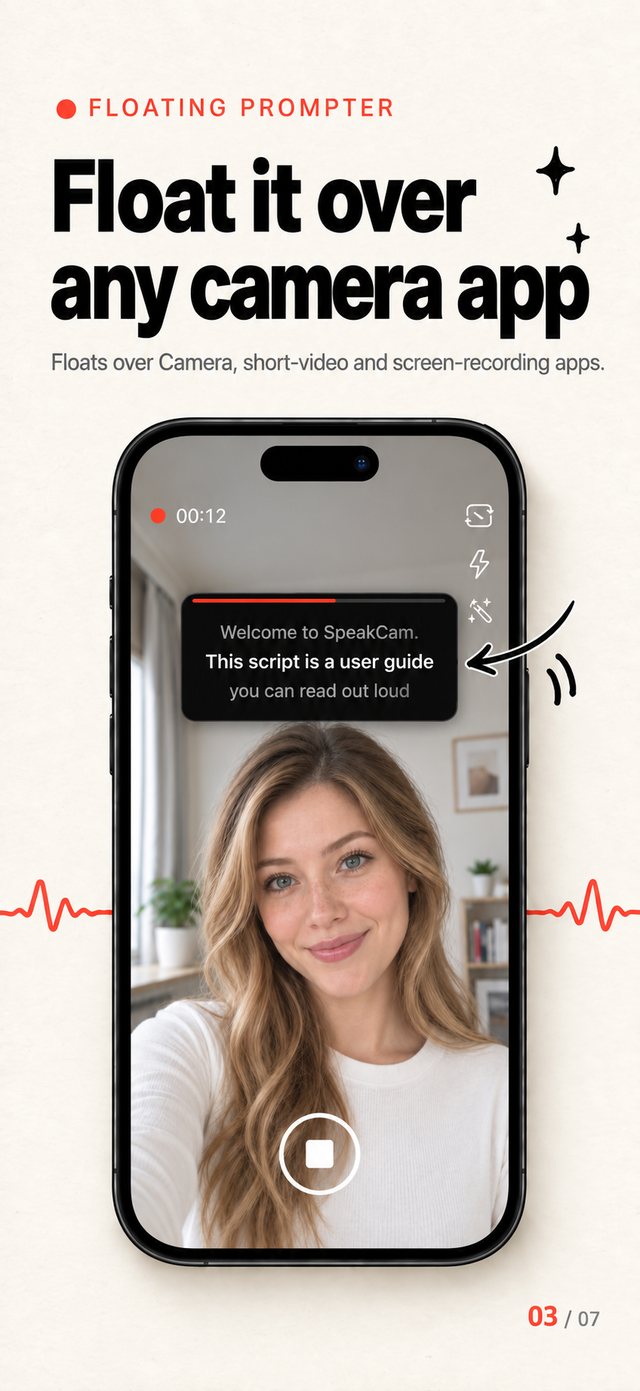
Floats over any app, still follows you
Shrink the prompter into a Picture in Picture window that floats over the Camera app or any recording app. Read your script wherever you shoot — voice-following keeps working, and only you can see the window.
- Floats over the Camera app and any recording app
- Voice-following keeps working while floating
- Never recorded into your footage
- Tap to hide, double-tap to resize, drag anywhere
Talking-head recording
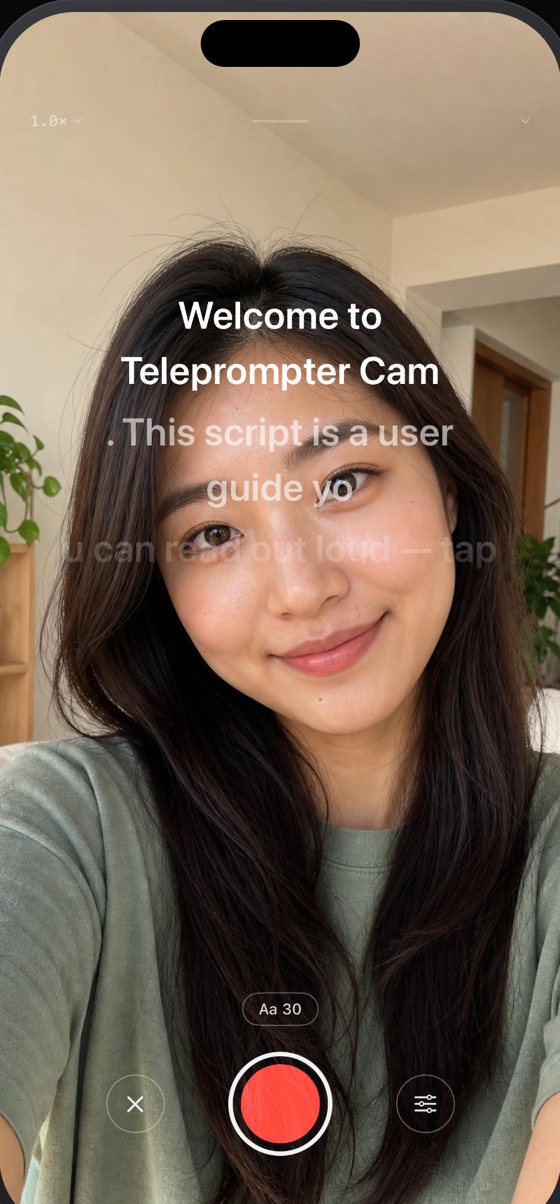
Prompter out of frame, footage up to 4K
The reading area sits right beside the lens, so your eyeline barely shifts — and the script stays yours alone. Viewers only see you.
- The prompter is never in your footage
- Up to 4K 60 fps, four aspect ratios (9:16, 3:4, 1:1, 16:9)
- Pause anytime, think, resume — one seamless take
- Instant preview: scrub the timeline, play at 0.5x–2x, save or retake
Present mode
Slides on stage, you in the corner
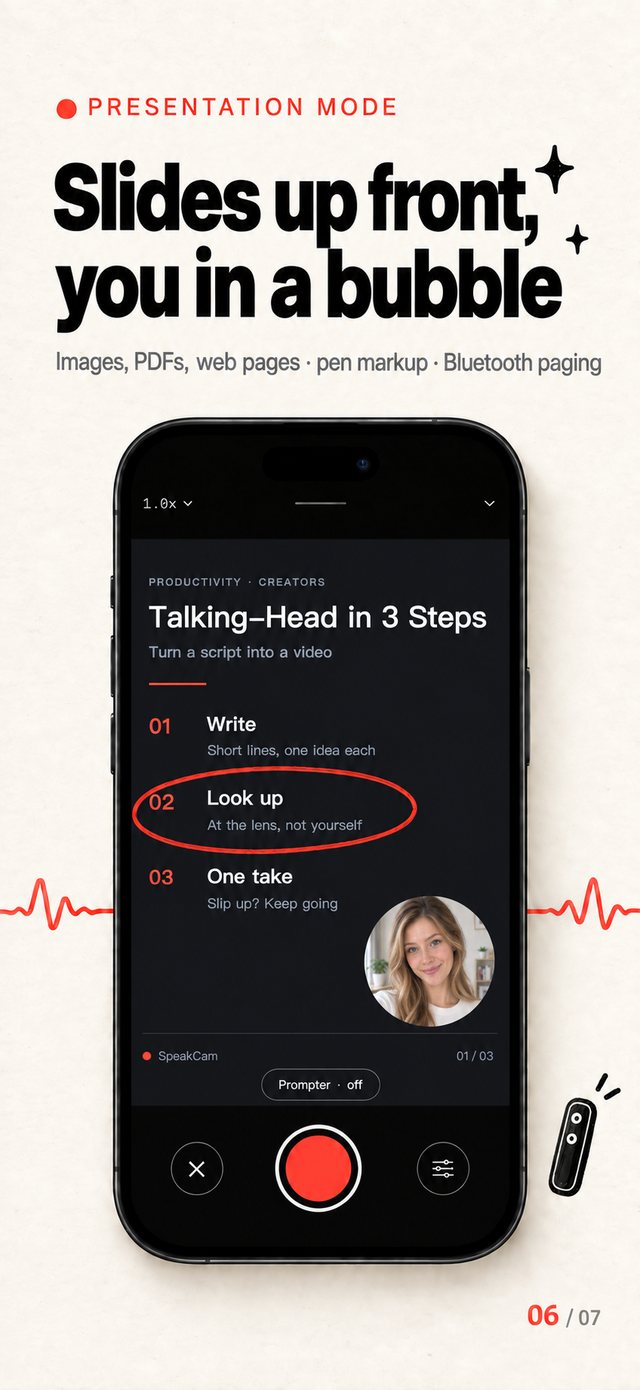
Put images, PDFs or web pages on the main canvas and appear in a picture-in-picture window, annotating as you talk.
- Images, PDFs or web slides on stage while you talk in a small window
- Ink annotations with four pen styles
- Turn pages with a Bluetooth clicker or the volume buttons
- Export up to 4K
Teleprompter mode
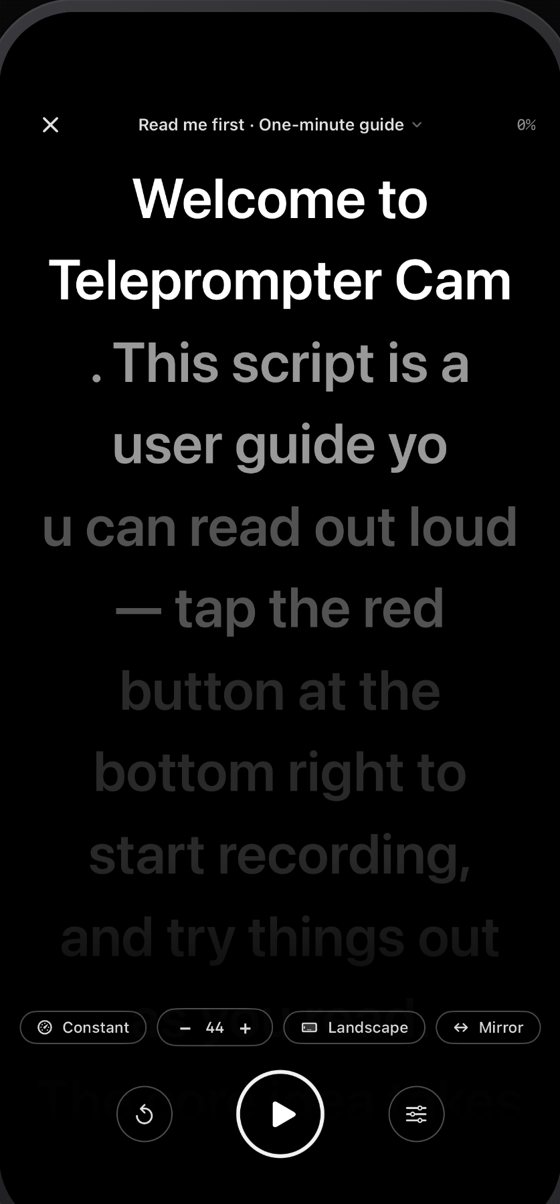
Your phone as a prompter panel
Shooting on a real camera? Use the phone purely as a prompter — no camera, no files, just your script.
- Use your phone as a pure prompter panel for external cameras
- Mirror mode for beam-splitter rigs, landscape support
- Independent screen brightness control
- No camera, no files — just your script
Where it fits
Anywhere you have to talk to a lens
Short-form video
Daily posts for TikTok, Reels and Shorts — one take, no editing.
Online courses
Slides on the main canvas, you in the corner, marking up as you teach.
Product walkthroughs
Feature tours and unboxings, even with a long script to get through.
Livestream rehearsal
Run the script once before you go live and lock in the pacing.
Video podcasts
Record long pieces in sections; pause mid-way, think, then continue.
Talks and interviews
Speeches, updates, Q&As — script in front of you, eyes on the camera.
Pricing
Writing is always free. Recording is Pro.
$1.99/ per month
Auto-renews, cancel anytime
$9.99/ per year
About $0.83 a month
$14.99/ one-time
Pay once, unlocked forever
Creating, editing and deleting scripts is free forever, with no limit. Recording, the floating prompter, Present mode and Prompter mode are Pro, and new users get 3 free full-feature sessions. Monthly and yearly plans are auto-renewing subscriptions: payment is charged to your Apple ID at confirmation of purchase, and renews within 24 hours before the end of the current period. Manage or cancel anytime in Settings › Apple ID › Subscriptions; after cancelling you keep access until the paid period ends.
Guides
One guide per use case
Floating teleprompter, voice following, talking-head recording, external cameras, slide presentations — how each works, and the questions people ask.
- floating teleprompterFloating Teleprompter: Read Your Script Inside the Camera App or TikTokA floating teleprompter puts your script in a Picture in Picture window over the Camera app, TikTok or any recording app. Voice-following keeps working and the window is never recorded.Read the guide
- voice-controlled teleprompterVoice-Controlled Teleprompter: The Script Follows You, Not the Other Way RoundA voice-controlled teleprompter scrolls by listening to you: speak naturally and the script keeps up, even when you misread, skip words or improvise. On-device recognition, nine languages.Read the guide
- how to record a talking head videoHow to Record a Talking Head Video: Keep Your Eyes on the Lens, No MemorizingHow to record a talking head video that looks natural: put the script in a teleprompter right under the lens, let it follow your voice, pause mid-take, preview instantly. One iPhone app, up to 4K.Read the guide
- teleprompter for DSLRTeleprompter for DSLR and External Cameras: Your iPhone as a Prompter PanelShooting with a DSLR, mirrorless or external camera? Use your iPhone as a full-screen teleprompter that follows your voice, with beam-splitter mirroring, landscape mode and brightness control. No camera, no files.Read the guide
- record a presentation video with slides and cameraRecord a Presentation Video: Slides Up Front, You in a Small WindowRecord explainer videos with slides on screen and you in a small window: images, PDFs or web slides as the main picture, ink annotations, auto page turns from your script. Up to 4K, no editing.Read the guide
Frequently asked
The prompter is not following my voice.+
Check that Microphone and Speech Recognition are enabled under iOS Settings → SpeakCam. Loud rooms also affect tracking — as a fallback, switch "Follow" at the bottom of the recording screen to constant-speed or manual mode.
Where do my recordings go?+
Tapping save writes the video straight to your Photos library. If you see a permissions warning, allow "Add Photos Only" under iOS Settings → SpeakCam → Photos.
How do I change quality, aspect ratio and zoom?+
Tap the badge at the top right of the recording screen (e.g. 1080p·60) to switch camera, aspect ratio, resolution, frame rate and codec. Tap the magnification at the top left (e.g. 1.0×) for a zoom slider — or just pinch anywhere on the preview.
Can I change how the script is chunked?+
Yes. Open settings from the bottom right of the recording screen. "Segmentation" can follow punctuation (natural sentence breaks) or use fixed-length single lines. Font size, latency compensation and drag sensitivity live there too.